
GOAT Football - Fantasy Game
HiFunGamesSports
4.33.00 Reviews
- Version
- 1.6.0
- Installs
- 100.00K
- Age Rating
- Everyone
Screenshots
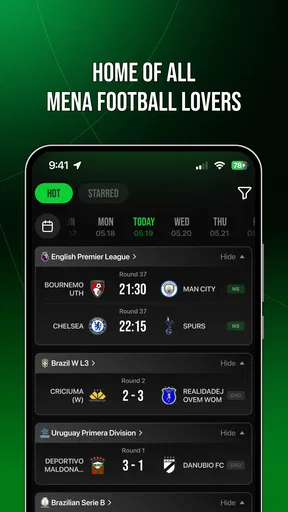
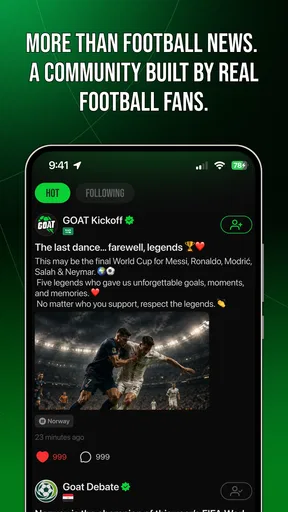
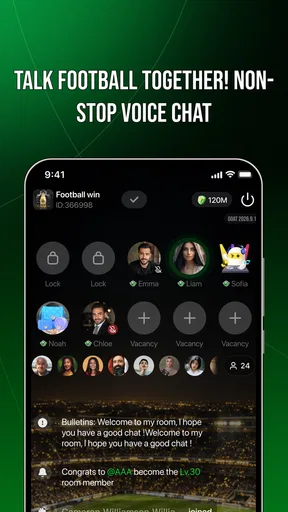
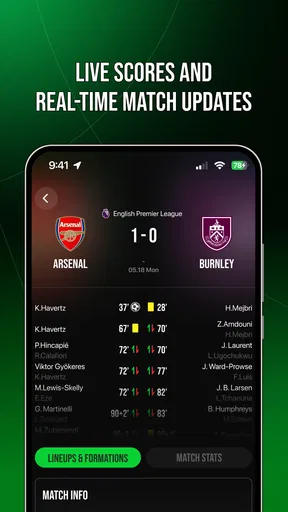
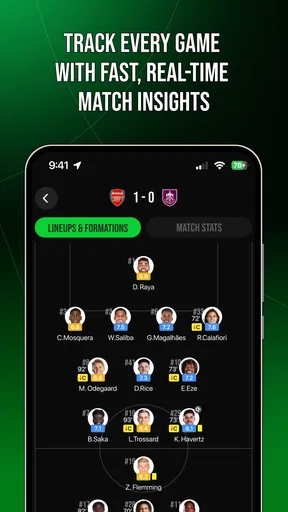
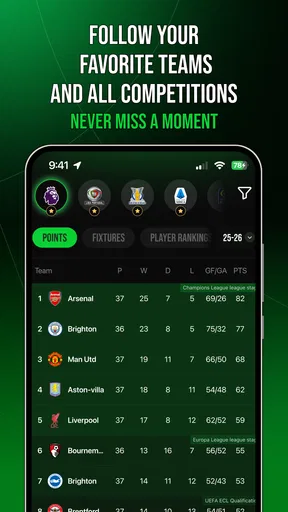
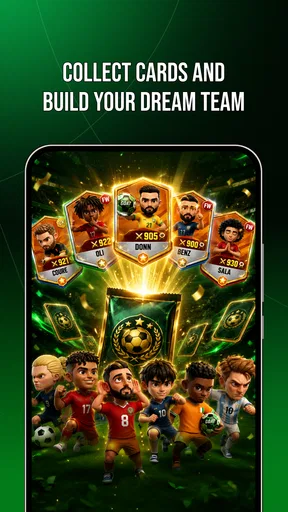
Our Review of GOAT Football - Fantasy Game
 Analysis by Appyee
I tried GOAT Football as a sports app aimed at people who follow football across the MENA region, and my first impression was that it is better understood as a focused football destination than as a general sports utility. The store summary positions it as a home for MENA football lovers, while the short description keeps things deliberately simple: GOAT Football. That narrow identity matters, because the app makes the most sense when your interest is not just football in the abstract, but the clubs, conversations, and regional context surrounding it.
It is free to install, carries an Everyone age rating, and comes from HiFunGames. Its average rating is 4.3 from 366 ratings, with the app having passed 100K+ installs. Those figures suggest that it has found a real audience without making it feel like a mainstream, all-purpose football giant. I would approach it as a community-oriented fantasy football experience with a regional focus, rather than expecting the breadth of a major live-score service, a full sports news platform, or a polished console-style football game.
How GOAT Football Fits Into a Shared Household
The most natural household scenario is a shared phone or tablet used by people who enjoy football in different ways. One person may want to check the fantasy side before a match, another may simply want to see what is happening around MENA football, and a younger family member may be curious because the app is marked Everyone. In that setting, the app can become a small part of the household’s match-day routine: someone opens it before kickoff, another person comments on a selection, and the device moves between users while everyone discusses the choices.
That sounds simple, but shared use creates a practical question: whose football identity is currently active? I would not treat a communal device as if it automatically creates separate personal spaces. If several people want to build their own fantasy experience, each person should have a clearly agreed turn and should avoid changing another user’s selections or progress. The app may be easy to hand around, but the responsibility for keeping personal activity separate still belongs to the household.
For a parent and child, this can be a useful way to turn football viewing into a conversation rather than passive screen time. A child can explain why a player or team seems attractive, while an adult can encourage more thoughtful decisions instead of simply chasing a familiar name. The fantasy angle gives the match a second layer: you are not only watching the result, but also thinking about how football choices connect with performance.
My advice is to establish a small routine before anyone starts. Decide who is using the device, whether the app is being used for one person or several, and whether purchases are allowed. That last point is particularly important because the application is free but includes in-app purchases ranging from $0.99 to $99.99 per item. On a shared device, a casual tap can have consequences if the person holding it does not understand which actions involve money.
What to settle before sharing the device
I would keep three boundaries clear. First, do not assume that a shared screen means shared ownership of an account or fantasy choices. Second, make sure younger users know that free installation does not necessarily mean every in-app action is free. Third, agree on a simple handover habit: finish what you are doing, leave the app in a neutral place, and tell the next person whether anything was changed.
These are not glamorous tips, but they make a noticeable difference. Fantasy apps can encourage quick decisions, especially when several people are watching a match together. On a personal phone, that impulsiveness affects one user. On a household device, it can create confusion about who made a selection, why a balance changed, or whether a team was altered intentionally.
I also recommend treating the app as a personal activity even when the device is communal. A family can discuss choices together, but one person should remain responsible for the final decision. That arrangement avoids the familiar problem where everyone gives advice but nobody remembers who actually changed the lineup or selection.
Account boundaries and everyday coordination
The best shared-use workflow is to separate discussion from action. Talk through the fantasy decision first, then let the person responsible for the account make the change. This prevents a child, sibling, or friend from tapping through a screen while someone else is still deciding. It also makes the app easier to learn because the new user can watch rather than taking over immediately.
If you are using GOAT Football on a family tablet, I would avoid leaving it open indefinitely between sessions. Even without inventing special controls or account features, basic device habits help: lock the screen when finished, do not hand over an unlocked payment-capable device, and make sure everyone knows which profile or login belongs to whom. The app itself cannot replace those household rules.
For roommates or friends, coordination has a different shape. You might use one device during a match, but each person may have separate preferences and expectations. I would not recommend making important fantasy decisions as a group unless everyone agrees that the result belongs to the group. Otherwise, a shared debate can become an unwanted compromise, and the app loses the personal decision-making that makes fantasy football engaging.
One useful approach is to use the app as a discussion prompt rather than a scoreboard for family arguments. If two people disagree about a football choice, explain the reasoning and accept that the outcome may not satisfy everyone. That makes the experience more social without pretending that every household member has the same football knowledge or the same level of commitment.
Age, trust, and the meaning of “Everyone”
The Everyone rating makes the app approachable for a broad audience, but I would not read that as a promise that every child should use it without supervision. The age label is helpful for deciding whether the general subject matter is suitable, yet it does not remove the need to discuss spending, accounts, and competitive behavior. A young user may understand football perfectly well while still needing guidance around paid items.
This is where trust matters more than the label. If a child uses the app on a parent’s phone, the parent should explain which parts are allowed and which require permission. If the device belongs to several siblings, everyone should know that changing another person’s fantasy activity is not harmless teasing. A clear rule is more effective than discovering a problem after a selection has been altered or a purchase has been made.
I also think adults should pay attention to the emotional side of fantasy play. A child who becomes frustrated after a poor football result may need help keeping the game in perspective. The same is true for adults, especially when a fantasy choice becomes tied too closely to pride or rivalry. GOAT Football works best when it adds interest to watching football, not when it turns every match into a household dispute.
For older users, the regional focus may be the strongest reason to try it. Someone who feels that broad international fantasy products overlook MENA football culture may appreciate an app that presents itself specifically for that audience. On the other hand, a user who wants a worldwide fantasy ecosystem, deep statistical tools, or a large established competitive network may find a more general alternative better suited to those expectations.
What I would expect from the daily experience
My practical use of a fantasy football app usually falls into three moments: preparing before a match, checking decisions during a football conversation, and reviewing what happened afterward. GOAT Football is most appealing in the first two moments. It gives a football-focused reason to open the app and think about choices rather than simply scrolling through unrelated content.
A realistic example would be a household preparing for an evening match. One person opens the app while another follows team news elsewhere, and the family discusses which choices seem sensible. The person who owns the fantasy activity makes the final selection, then everyone watches the match with an extra personal stake. Afterward, they can talk about whether the decision made sense. That workflow is more enjoyable than passing the phone around with no plan because it gives each person a clear role.
The trade-off is that fantasy apps demand attention. If you only want a quick score, a dedicated live-score application may be faster and more direct. If you want long-form reporting, interviews, or broad transfer coverage, a football news app will probably serve you better. GOAT Football’s value comes from combining regional football interest with personal fantasy involvement, not from replacing every other football tool on your phone.
I would also avoid opening it with the expectation of a full football simulation. This is an app in the Sports category, and its identity is tied to fantasy football rather than controlling players in a match. Anyone looking for real-time gameplay, career modes, or console-like mechanics should choose a different kind of football game. That distinction is important because the name can initially make the product sound broader than its actual purpose.
Where the app feels convenient, and where it asks more from you
The free entry point is a genuine advantage. You can explore the experience without paying upfront, which makes it easier to test whether the regional focus and fantasy format suit you. That is especially useful for households where one person is enthusiastic and everyone else is still deciding whether they want to participate.
The presence of in-app purchases changes the way I would recommend using it. I would not let a child experiment freely on a shared payment-enabled device, and I would not make a purchase simply because a fantasy decision feels urgent. Set a household spending rule first. If the app becomes enjoyable without paid items, keep it that way; if you later decide to spend, do so deliberately and with the account owner’s approval.
Another consideration is the difference between a regional specialist and a universal football platform. GOAT Football’s MENA orientation is a strength when it matches your interests, but it can feel limiting if your attention is spread across leagues and competitions from everywhere. A general fantasy service may offer a larger international scope, while a club-specific app may provide more detailed information about one team. The better choice depends on whether you value regional identity or maximum breadth.
The current version is 1.6.0, and the app supports devices running Android 7.0 or later. That makes it accessible to people who are not using the newest phone, which is helpful in a shared household where an older tablet may still be the main communal device. Even so, older hardware can make any modern app feel less comfortable, so I would judge the experience on the actual device you plan to share rather than assuming that compatibility guarantees a smooth session.
Three habits that make the experience better
My first tip is to separate a family discussion from the final tap. This sounds minor, but it protects personal choices and reduces accidental changes. Let everyone offer an opinion, then give one person responsibility for confirming the decision.
My second tip is to keep spending outside the excitement of match day. A dramatic fixture can make a paid item feel necessary, especially when several people are watching together. Agree in advance that purchases require a pause and explicit permission. This is more reliable than expecting a younger user to recognize every payment boundary in the moment.
My third tip is to use the app as a football-learning tool, not merely as a competition. Ask why someone made a selection, what information influenced the choice, and whether the result actually proves the reasoning was good. This helps children and casual players understand that one match can produce a surprising result and that fantasy success is not the same as football expertise.
A fourth habit is useful for mixed households: keep one short verbal record of who is responsible for the current fantasy activity. If the device moves from a parent to a child and then to a sibling, say clearly, “This is my account; please do not change anything.” That sentence prevents more confusion than trying to reconstruct events later.
Who should choose it, and who should skip it
I would recommend GOAT Football to MENA football followers who want a fantasy layer around their match viewing and enjoy discussing decisions with friends or family. It is also a reasonable first experiment for someone who has never tried fantasy football because the app is free to start and carries an Everyone rating. The regional identity gives it a clearer personality than a completely generic sports app.
I would be more cautious about recommending it to someone who wants exhaustive statistics, a large international competition, or a pure football game with direct control. Those users may be happier with a specialist statistics service, a broader fantasy platform, or an action-focused football title. The app is not automatically the best choice simply because the user likes football; the format and regional emphasis need to match the person’s interests.
For households, I recommend it when adults are willing to set boundaries around accounts and purchases. I would skip shared use if nobody is prepared to decide who owns the activity or if the device is regularly handed to children without supervision. In that situation, the convenience of a communal screen is outweighed by the risk of confusion.
My household verdict
GOAT Football has a clear appeal: it gives MENA football fans a dedicated fantasy-oriented place to engage with the sport, and its free installation makes trying it low-risk. I like the way it can turn a normal match into a shared conversation, especially when family members explain their choices rather than simply competing for a result.
Its limitations are just as important. It should not be mistaken for a complete football news service or a conventional football game, and its in-app purchase range means shared-device use needs adult attention. The Everyone rating makes it approachable, but responsible household rules still matter.
My final view is positive for the right audience. If your home follows MENA football and you want a fantasy activity that can sit alongside match viewing, I think it is worth trying. Use one clearly identified account at a time, keep purchases intentional, and let conversation do more of the work than the competition. For a shared household, the strongest feature is not just the fantasy format; it is the way the app can give everyone a reason to talk about football while keeping one person accountable for the final choice.
Verdict
Strengths of GOAT Football - Fantasy Game
- Quick matches make it easy to play during short breaks.
- Player cards and upgrades add satisfying progression over time.
- Competitive leagues give matches a clear sense of purpose.
- Simple controls are accessible for beginners.
- Regular events can provide fresh challenges and rewards.
Limitations of GOAT Football - Fantasy Game
- Progress may feel slower without frequent play or optional purchases.
- Match outcomes can sometimes feel influenced by card strength.
- The game may require a stable internet connection to function properly.
- Repeated match formats can become predictable after extended play.
- Notifications and promotional offers may feel intrusive to some players.
Similar Picks in This Category
View All
BeSoccer: Soccer Live Score
BeSoccer apps4.3

Cricbuzz - Live Cricket Scores
Cricbuzz.com3.7

NFL
NFL Enterprises LLC2.4

Da Fit
MO YOUNG LIMITED3.6

ESPN
Disney4.5

LiveScore: Live Sports Scores
LiveScore Limited4.5
Frequently Asked Questions
What is GOAT Football - Fantasy Game?
GOAT Football - Fantasy Game is a football management and fantasy-style game where you build a squad, make tactical decisions, compete in matches, and work toward creating a stronger team. The experience is designed for fans who enjoy combining football knowledge with strategy, including player selection, lineup adjustments, upgrades, and competition against other teams or game challenges.
Can I play GOAT Football - Fantasy Game without an internet connection?
An internet connection may be required for important parts of GOAT Football, such as account synchronization, online competitions, updated player information, events, rewards, and multiplayer features. Some menus or limited activities might remain accessible offline, but the full experience is generally intended to be played online. It is best to connect to a stable network before starting matches or claiming progress.
Is GOAT Football - Fantasy Game free to download and play?
GOAT Football - Fantasy Game can generally be downloaded without an upfront purchase, allowing users to try its main features at no initial cost. However, free-to-play games may include optional in-app purchases for virtual currency, packs, upgrades, or other items that can speed up progress. Check the store listing and payment settings carefully, especially if children use the device.
Does GOAT Football - Fantasy Game include real football players or licensed teams?
The availability of real players, clubs, leagues, names, logos, and competitions depends on the licenses and content provided by the developer. Some football games use official partnerships, while others offer fictional or modified versions of familiar teams and athletes. Before downloading, review the current store description and screenshots if authentic football branding is important to your experience.
What devices are compatible with GOAT Football - Fantasy Game?
Compatibility depends on the version available for Android or iOS and the minimum operating-system requirements set by the developer. Newer phones and tablets usually provide smoother performance, shorter loading times, and better graphics. Before installing, check the official store page for supported OS versions, required storage, and any device limitations. Keeping enough free space can also help prevent update problems.
